|
Create Virtual Machine#2
2015/11/22 |
|
If you installed Desktop Environment,
it's possible to create a Virtual machine on GUI.
This example shows to install Windows Server 2012 R2 on GUI. |
|
| [1] | Install required packages. |
|
dlp:~ # zypper -n install virt-manager
|
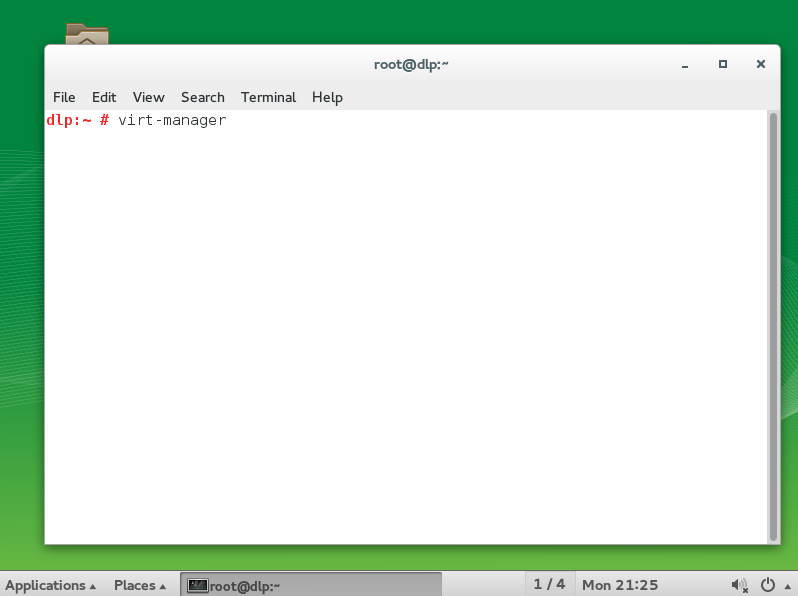
| [2] | Start terminal on Desktop and input the command "virt-manager" like follows. |
|
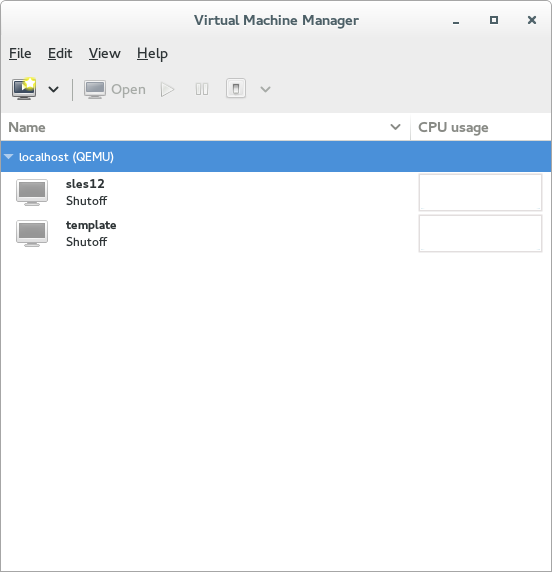
| [3] | Click 'New' button (it's just the PC-icon on upper-left) and open a wizard to create a new Virtual Machine. |
|
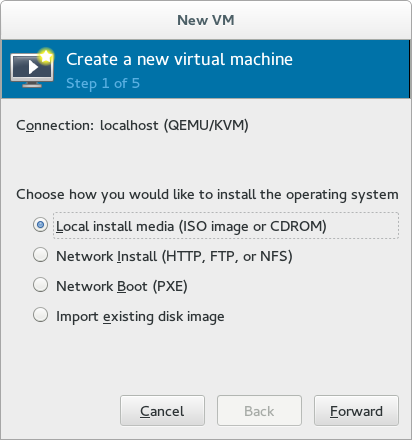
| [4] | Specify the name of virtual machine and installation source. |
|
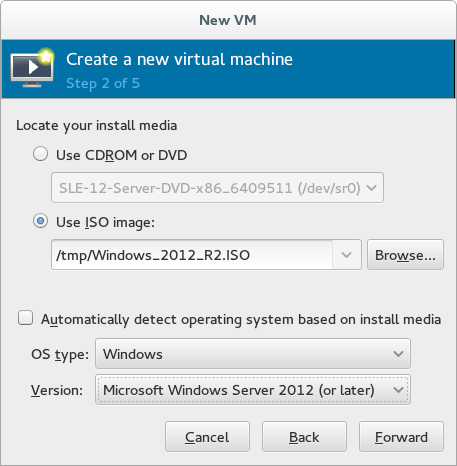
| [5] | Select Installation media or ISO image, and specify OS type and version. |
|
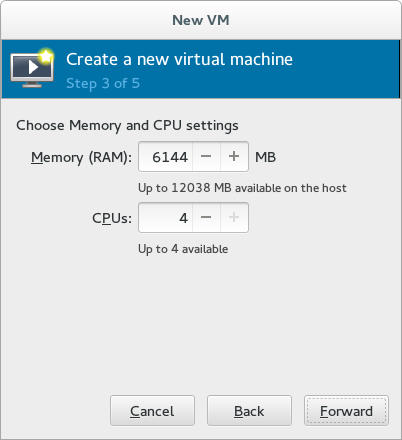
| [6] | Specify the amount of memories and number of virtual CPUs. |
|
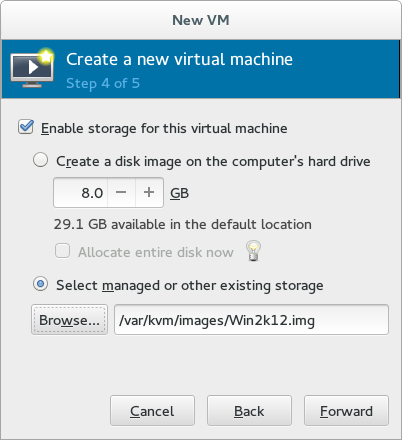
| [7] | Specify the amount of disks. |
|
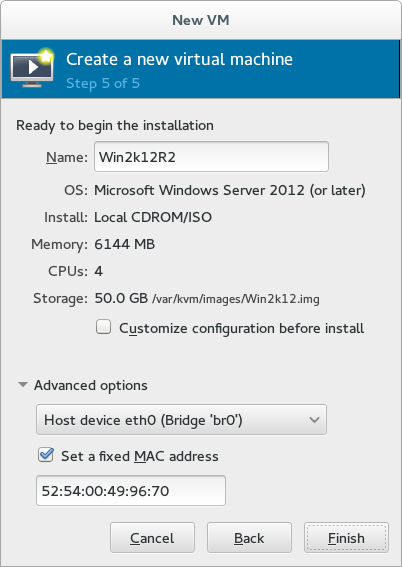
| [8] | Open 'Advanced options' and make sure the settings for networking or architecture are correct. |
|
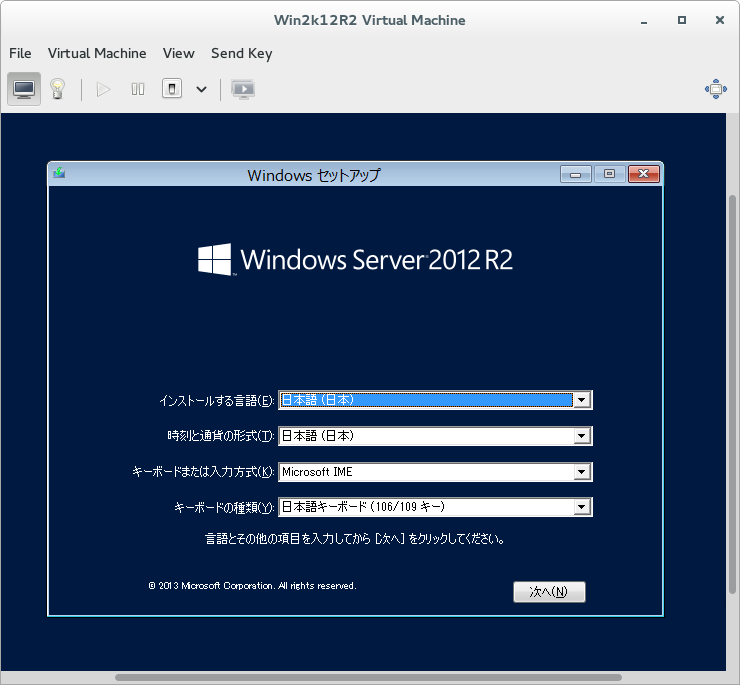
| [9] | Windows installer starts. |
|
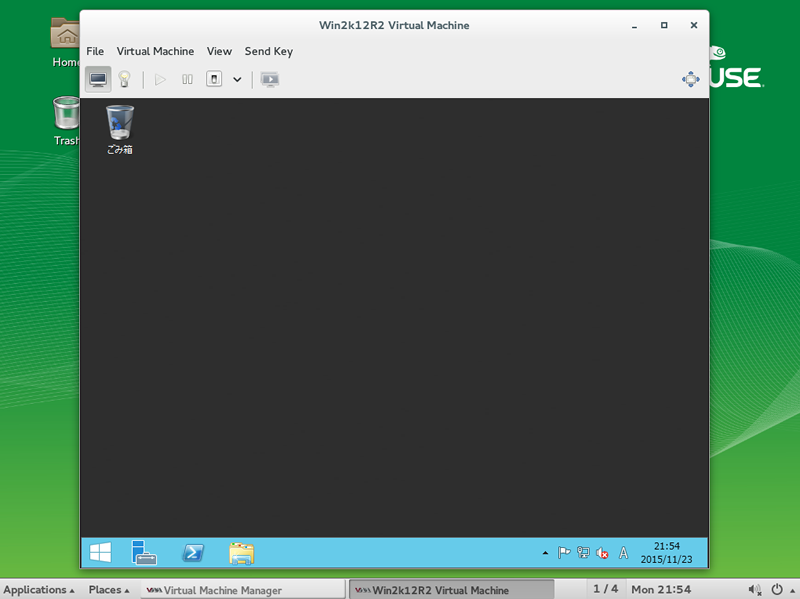
| [10] | Installation finished and Windows Server 2012 R2 is running. |
|